
# Website Cost Calculator: Discovering How Much Does This Website Cost for Your Project
## Introduction: Unraveling the Mystery of Website Costs
One of the most common and often perplexing questions for anyone looking to establish an online presence is: **”how much does this website cost?”** It’s a question that rarely has a simple, one-size-fits-all answer, much like asking “how much does a house cost?” The truth is, website pricing can vary wildly, from a few hundred dollars to tens of thousands, or even more. This vast range often leads to confusion and can even deter aspiring entrepreneurs or businesses from taking the leap into digital marketing.
Many myths circulate about website pricing, from believing all websites are expensive custom builds to assuming a basic template will suffice for complex business needs. This guide aims to dispel those myths and provide you with a clear, comprehensive framework for understanding and estimating your project’s cost. You’ll learn about the key factors that influence pricing, the various components that make up a website project, and how to approach budgeting effectively so you can confidently answer **how much does this website cost** for *your* specific needs.
## Why Website Costs Vary Wildly: Understanding the Core Variables
The significant disparity in website costs stems from a multitude of variables, each playing a crucial role in the final price tag. Understanding these core elements is the first step in demystifying the process.
* **Project Scope & Complexity:** This is perhaps the biggest determinant. A **simple brochure site** with a few pages of information will naturally cost far less than a **complex e-commerce platform** with thousands of products, secure payment gateways, inventory management, and customer accounts. Custom web applications with unique functionalities sit at the higher end of the spectrum.
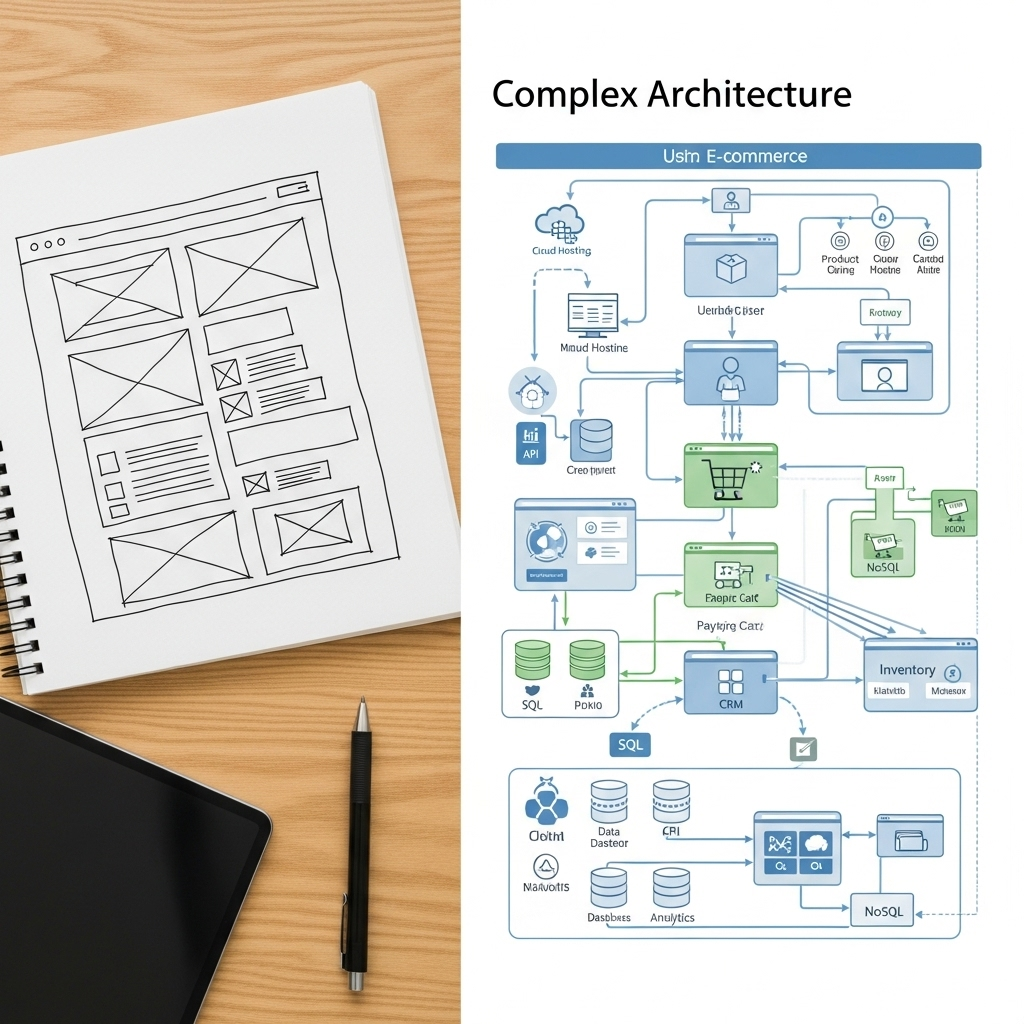
* **Design & User Experience (UX/UI):** Do you need a unique, **custom-designed interface** tailored to your brand, or can you work with a pre-existing template? Custom designs involve extensive research, wireframing, prototyping, and graphic design work, commanding a higher price. Advanced user interactions and animations also add to the complexity and cost.
* **Functionality & Features:** Every added feature contributes to the overall cost. Think about what your website needs:
* Basic contact forms vs. advanced multi-step forms
* Simple image galleries vs. interactive portfolios
* Blog functionality vs. advanced content management
* User registration and login systems
* E-commerce capabilities (shopping cart, payment processing, product variations)
* Third-party integrations (CRM, email marketing, analytics)
* Multilingual support
* **Content Volume & Type:** Will you provide all the website content (text, images, videos), or will you need professional assistance? **Professional copywriting**, high-quality photography, and video production can significantly impact the budget, but they also significantly impact the website’s effectiveness.
* **Development Approach:** The choice of platform and development method plays a critical role.
* **CMS-based websites** (like WordPress, Shopify, Squarespace, Wix) often offer a more cost-effective starting point due to existing frameworks and themes.
* **Custom-coded websites** built from scratch using frameworks like React, Angular, or Laravel provide ultimate flexibility but require more development hours and expertise.
You can learn more about general website costs and what to expect from various providers by checking out guides like [How Much Does a Website Cost? (2025 Guide)](https://www.forbes.com/advisor/website-builders/how-much-does-a-website-cost/) from Forbes Advisor.
* **Team Size & Expertise:** The individuals or agency you hire will have different rates based on their experience, location, and overheads. A **freelancer** might offer lower rates than a full-service **web agency**, but agencies often provide a broader range of expertise and project management. Junior developers typically cost less than senior specialists. For a deeper dive, MonsterInsights offers insights into [How Much Does it Cost to Build a Website in 2025?](https://www.monsterinsights.com/how-much-does-it-cost-to-build-a-website/).
* **Ongoing Maintenance & Support:** A website isn’t a “set it and forget it” asset. Ongoing costs for hosting, security updates, software licenses, and potential support plans are crucial. These post-launch services ensure your site remains secure, fast, and up-to-date.
## Key Cost Components of a Website Project: A Detailed Breakdown
To truly understand **how much does this website cost**, it’s helpful to break down the project into its fundamental phases and components.
1. **Discovery & Planning:** This initial phase is crucial for success. It involves:
* **Requirements gathering:** Defining your business goals, target audience, and desired functionalities.
* **Market research:** Analyzing competitors and industry trends.
* **Sitemap creation:** Structuring your website’s navigation.
* **Wireframing:** Sketching out the basic layout of each page.
* **Project management:** Overseeing the entire process.
2. **Design (UI/UX):** This is where your website’s look and feel come to life.
* **User Experience (UX) design:** Ensuring the site is intuitive and easy to navigate.
* **User Interface (UI) design:** Creating the visual elements (colors, fonts, buttons, imagery).
* **Mockups and prototypes:** Visual representations of your website before development.
* **Branding elements:** Logo integration, brand guidelines adherence.
3. **Development (Front-end & Back-end):** The coding phase where the design becomes a functional website.
* **Front-end development:** Building what users see and interact with (HTML, CSS, JavaScript).
* **Back-end development:** Building the server-side logic, databases, and APIs that power the site.
* **CMS integration:** Setting up platforms like WordPress or Shopify.
* **Custom feature implementation:** Developing unique functionalities.
4. **Content Creation:** Populating your website with engaging material.
* **Copywriting:** Crafting compelling text for all pages, product descriptions, blog posts.
* **Image sourcing/creation:** Photography, illustrations, stock images.
* **Video production:** If applicable.
* **Content entry:** Manually adding content to the website.
5. **Testing & Quality Assurance (QA):** Ensuring everything works flawlessly before launch.
* **Functional testing:** Checking all features, forms, and links.
* **Cross-browser compatibility:** Ensuring the site looks and works on different browsers.
* **Device responsiveness:** Verifying it adapts to desktops, tablets, and mobiles.
* **Performance testing:** Checking loading speeds and efficiency.
* **Security testing:** Identifying vulnerabilities.
6. **Deployment & Launch:** Making your website live to the world.
* **Hosting setup:** Configuring your server.
* **Domain registration:** Securing your web address.
* **SSL certificate installation:** Enabling secure connections (HTTPS).
* **Final checks:** Before pressing the “go live” button.
7. **Post-Launch (Ongoing Costs):** The recurring expenses that keep your website healthy.
* **Hosting:** Monthly or annual fees for server space.
* **Domain renewal:** Annual fee to keep your web address.
* **Security updates & backups:** Essential for protection against threats.
* **Software licenses:** For premium themes, plugins, or specific tools.
* **Maintenance & support plans:** For ongoing assistance and updates.
* **Analytics & reporting:** Tools to track performance.
* **Digital marketing & SEO:** Ongoing efforts to drive traffic and improve visibility.
## The ‘Website Cost Calculator’ Mindset: How to Estimate Your Project
Instead of just wondering **how much does this website cost**, adopt a proactive “calculator” mindset to better estimate your unique project.
* **Define Your Goals Clearly:** What do you want your website to achieve? Is it to generate leads, sell products, provide information, build a brand, or serve as an internal tool? Clear goals will inform necessary features and design.
* **List Essential Features vs. ‘Nice-to-Haves’:** Create a prioritized list. What absolutely *must* your website do to launch successfully (your **Minimum Viable Product – MVP**)? What features can be added in future phases? This helps manage the initial budget.
* **Consider Your Platform Choice:**
* **WordPress:** Highly flexible, cost-effective for many projects, but requires more hands-on management or developer assistance.
* **Shopify:** Excellent for e-commerce, but has monthly fees and transaction costs.
* **Wix/Squarespace:** User-friendly, good for small businesses/portfolios, less customization flexibility.
* **Custom Builds:** Offer ultimate control but are significantly more expensive and time-consuming.
GoDaddy’s blog provides a good overview of [how much a website costs in 2025](https://au.godaddy.com/blog/how-much-does-a-website-cost/) across different platforms.
* **Research and Gather Quotes:** Don’t settle for the first quote. Articulate your needs clearly and concisely to potential developers or agencies. Provide detailed requirements, including your goal, target audience, desired features (categorized by essential vs. nice-to-have), and any existing branding. This clarity helps them give accurate estimates.
* **Factoring in ‘Hidden’ Costs:** Beyond initial development, remember:
* **Premium plugins/themes:** Can add hundreds of dollars.
* **Stock photography/licensing:** For high-quality images.
* **Specific software licenses:** For unique functionalities.
* **Payment gateway fees:** Transaction costs for e-commerce.
* **SEO optimization:** Initial setup and ongoing efforts.
* **Account for Future Growth and Scalability:** Think long-term. Will your website need to handle increased traffic? Will you add new features in a year or two? Building with scalability in mind from the start can save costly redevelopments later. Wix also offers valuable insights into [How Much Does a Website Cost In 2025?](https://www.wix.com/blog/how-much-does-a-website-cost).
## Tips for Budgeting Your Website Project and Saving Costs (Wisely)
While it’s tempting to seek the cheapest option, it’s vital to save costs **wisely** without compromising long-term value.
* **Start Small and Iterate:** Launch an **MVP (Minimum Viable Product)** with only essential features. Once it’s live and generating value, you can gradually add more functionalities in subsequent phases, spreading out your investment.
* **Leverage Templates and Off-the-Shelf Solutions:** For design and common functionalities, pre-built themes and plugins can drastically reduce development time and cost compared to custom solutions. Just ensure they are reputable and well-supported.
* **Provide Clear and Detailed Requirements:** Vague instructions lead to assumptions, revisions, and ultimately, higher costs. The more precise your brief, the smoother the development process will be.
* **Do Some Work Yourself (If Capable):** If you have basic writing skills, populate your content. If you’re decent with image editing, prepare your photos. This can shave off billable hours.
* **Negotiate and Compare Bids:** Always get multiple quotes. However, evaluate not just the price, but also the agency’s portfolio, communication style, proposed timeline, and ongoing support. The cheapest option often comes with hidden costs or compromises in quality.
* **Understand the Value of Investment:** A website is an investment in your business. A professionally built, user-friendly, and optimized website will attract more customers, build credibility, and generate better returns in the long run. Cheaper isn’t always better if it results in a slow, insecure, or poorly converting site. HubSpot’s blog provides a useful perspective on [How Much Does a Website Cost? Here’s What I Found Out…](https://blog.hubspot.com/website/how-much-website-cost).
## Conclusion: Empowering You to Budget Your Web Project with Confidence
The question of **how much does this website cost** is no longer an insurmountable mystery. By understanding the intricate factors, components, and ongoing considerations, you can approach your web project with clarity and confidence. Website costs are multifaceted, but with a strategic mindset and careful planning, they are entirely manageable.
You are now empowered with a clearer understanding of what influences website pricing, from the initial discovery phase to the crucial ongoing maintenance. This knowledge allows you to make informed decisions, prioritize features, and allocate your budget effectively.
Ready to take the next step? Start planning your project by defining your goals and listing your essential features. Consider utilizing a professional cost calculator tool online, or better yet, consult directly with web development experts to get tailored advice for your unique needs. Remember, investing wisely in your website is not just an expense; it’s a strategic investment in your business’s future success and online growth.